
How to Handle Employee Time Tracking Without Creating Distrust

Time tracking works when employees know why it exists and how their data is used. Follow these five steps:
- Explain why you track time. Tie it to billing, budgets, and workload planning, not monitoring.
- Track work, not behaviour. Record hours on projects and tasks. Skip screenshots and keystroke logging.
- Give employees access to their data. Let them view their timesheets, correct errors, and raise privacy concerns.
- Use data to support, not punish. Use reports to fix unrealistic deadlines, uneven workloads, and project bottlenecks.
- Create a clear policy. State what is tracked, why, and who can see it. Apply it to every team and review it when work changes.
Transparent rules and limited data collection make time tracking effective without damaging trust.
Why Time Tracking often feels like Surveillance to Employee
Let’s start with the obvious: employees aren’t being paranoid. Their concern is legitimate.
Most people have experienced or heard about time tracking being used punitively; to catch someone slacking, dock pay or justify a layoff. That history shapes how any new tracking initiative gets received, no matter how well intentioned it is.
There's also a deeper issue. Knowledge work doesn’t fit neatly into hourly boxes. A developer might solve a critical bug in twenty minutes after staring at the ceiling for an hour. A designer might produce their best work in a burst after a long walk. When you track hours as if they’re all identical, your implicitly tell people that presence matters more than output.
Add remote work into the mix, and the anxiety multiplies. Employees working from home often worry that time tracking is really about proving they are actually working; not about improving how work gets done.
Understanding this resistance is the first step. You can’t build trust without acknowledging why it’s missing.
How to introduce Time Tracking without Losing Employee Trust

A successful roll out should feel collaborative, not imposed. Involve employees early and give them a chance to ask questions about the system, expectations and privacy.
Start by explaining the business problem. For example, if a team struggles with unclear project costs or uneven workloads, show how accurate time data can help managers plan more realistically. Avoid saying that the tool is being introduced to “check productivity”.
Next, clarify what the system will and will not track. If employees only need to record time against projects or tasks, say so clearly. Do not create uncertainty by using vague language such as “monitoring work activity”.
A practical introduction process includes:
- Share the purpose before launching the tool.
- Demonstrate how employees will log and edit time.
- Explain who can access reports.
- Set clear rules for corrections and approvals.
- Test the workflow with a small group.
- Review the feedback before full implementation.
Give employees a reasonable adjustment period. Early mistakes are normal, especially when people are learning new project categories or approval procedures.
Transparency Rules that build Trust in Time Tracking
Trust isn’t built through statements. It's built through visible consistent behaviour.
Create a short, accessible time tracking policy that answers these questions:
What information is collected?
Why is it collected?
Who can view it?
How long is it retained?
Can employees correct mistakes?
Will it be used for performance evaluations?
What happens when time is missing or inaccurate?
The policy should also distinguish between recording work hours and monitoring employee behaviour. Tracking time spent on a client project is very different from capturing screenshots, keystrokes, private messages, or unrelated browsing activity. Managers should also share the same rules with everyone.
If one team is expected to log time daily while another is judged informally, employees may see the system as unfair. Consistent expectations make the process easier to understand and defend.
An approval workflow can add accountability without creating pressure. Peoplefold's timesheet approval feature includes multiple review stages and an audit trail, allowing logged hours to be checked and verified before reporting or invoicing.
Use Time Data to improve Workflows, not Control People
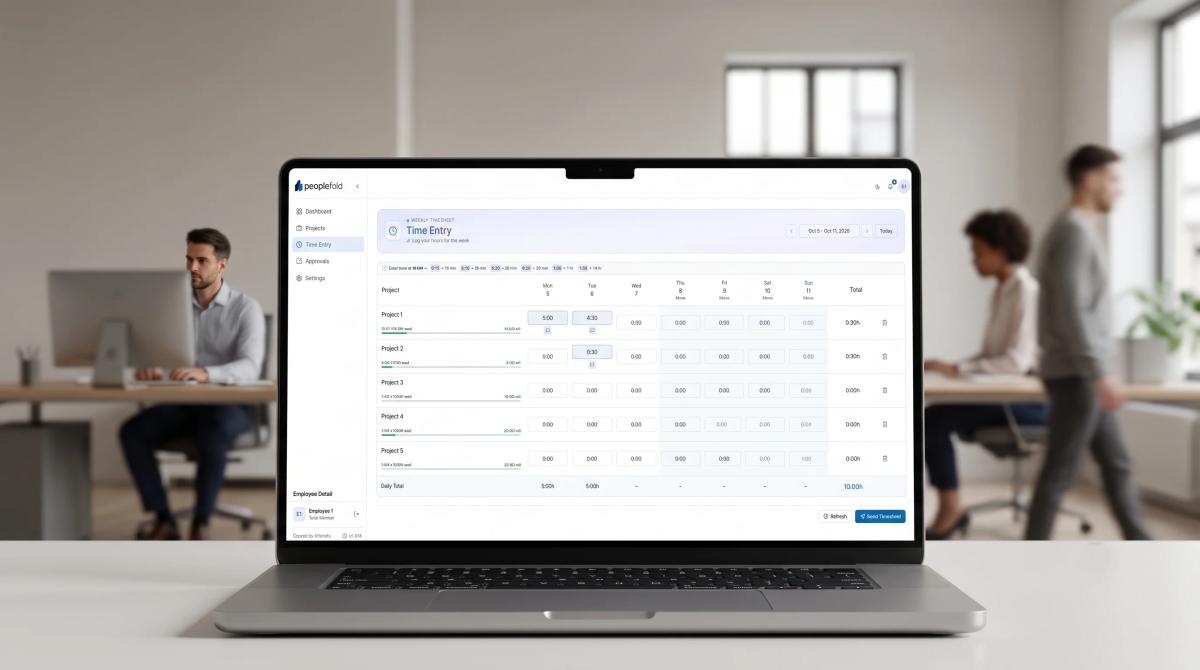
This is where most companies go wrong. They collect data and immediately use it to judge individuals. That's a guaranteed trust killer. Logged hours cannot fully measure creativity, problem-solving, collaboration, learning, or complexity of a task.
Use time data to identify patterns and improve systems. For example, reports may show that:
- A project is taking longer than originally estimated.
- One employee is handling too many urgent tasks.
- Meetings are reducing focused work time.
- Certain tasks should be automated.
- Client work is regularly exceeding the agreed scope.
- A team needs better documentation or training.
These insights support better decisions. They can help managers adjust deadlines, redistribute work, improve pricing, and remove unnecessary processes.
Avoid ranking employees solely by hours logged. More hours do not automatically mean better performance, and fewer logged hours do not necessarily indicate low effort. Discuss unusual patterns privately and with curiosity. Ask what caused the difference before making a judgement.
The goal of employee time tracking should be better planning and healthier workloads; not making people feel watched every minute.
Create a Fair and Supportive Time Tracking Policy
A policy is only as good as its fairness. Here's what a supportive one looks like:
Keep it simple. Complex tracking systems create errors and resentment. A straightforward weekly grid beats an elaborate system nobody understands.
Allow corrections without punishment. People forget to log hours. They misassign a project. Make fixing mistakes easy and blame free.
Set realistic expectations about timing. Some weeks are lighter, some heavier. A policy that treats every week as identical ignores how work actually happens.
Build in approval workflows with context. Managers should be able to flag anomalies and ask questions; not issue silent judgements. Written reasons for rejections, visible to both sides, keep the process honest.
Review the policy regularly. What worked at twenty employees may not work at a hundred. Revisit it annually with team input.
Tie the policy to something employees care about. Accurate tracking leads to accurate billing, which funds salaries and growth. That connection is worth making explicit.
If you’re scaling a team and want infrastructure that handles time, approvals and billing without adding friction, exploring a workforce management platform designed for service teams is a smart starting point.
Conclusion
Employee time tracking doesn’t have to be a trust-destroying exercise. The companies that get it right share a common approach: they are transparent about the purpose, consistent in how data gets used, and focused on improving systems rather than policing people.
Introduce it carefully. Communicate openly. Use the data to fix workflows, not to build files on individuals. And choose tools that fit how your team actually works; not how a vendor imagines they should.
Want visibility into billable hours without the morale damage? See how peoplefold works and track smarter, bill confidently, and grow faster.
FAQs
1. How can companies introduce employee time tracking without creating distrust?
Explain the purpose, define what will be tracked, protect employee privacy, and involve staff before launching the system. Give employees training and a clear way to correct mistakes.
2. Is employee time tracking the same as employee surveillance?
No. Time tracking records hours spent on projects or tasks, while surveillance may monitor behaviours, screens, keystrokes or private activity. A transparent system should collect only necessary information.
3. Should time tracking data be used for performance reviews?
It should not be the only measure of performance. Time data is more useful for understanding, workloads, project scope, staffing needs, and workflow problems.
4. What should an employee tracking policy include?
It should explain the purpose of tracking, required information, access permissions, correction procedures, deadlines, data retention, and how managers should use reports.
5. How does time tracking benefit employees?
It can help identify overloaded teams, support fair workload distribution, improve project planning, reduce unnecessary tasks, and provide evidence for more realistic deadlines.